Features
A closer look at Munty.
Three parts of the app, and what you can do with each of them.
01 · Your overview
Know what you can spend today.
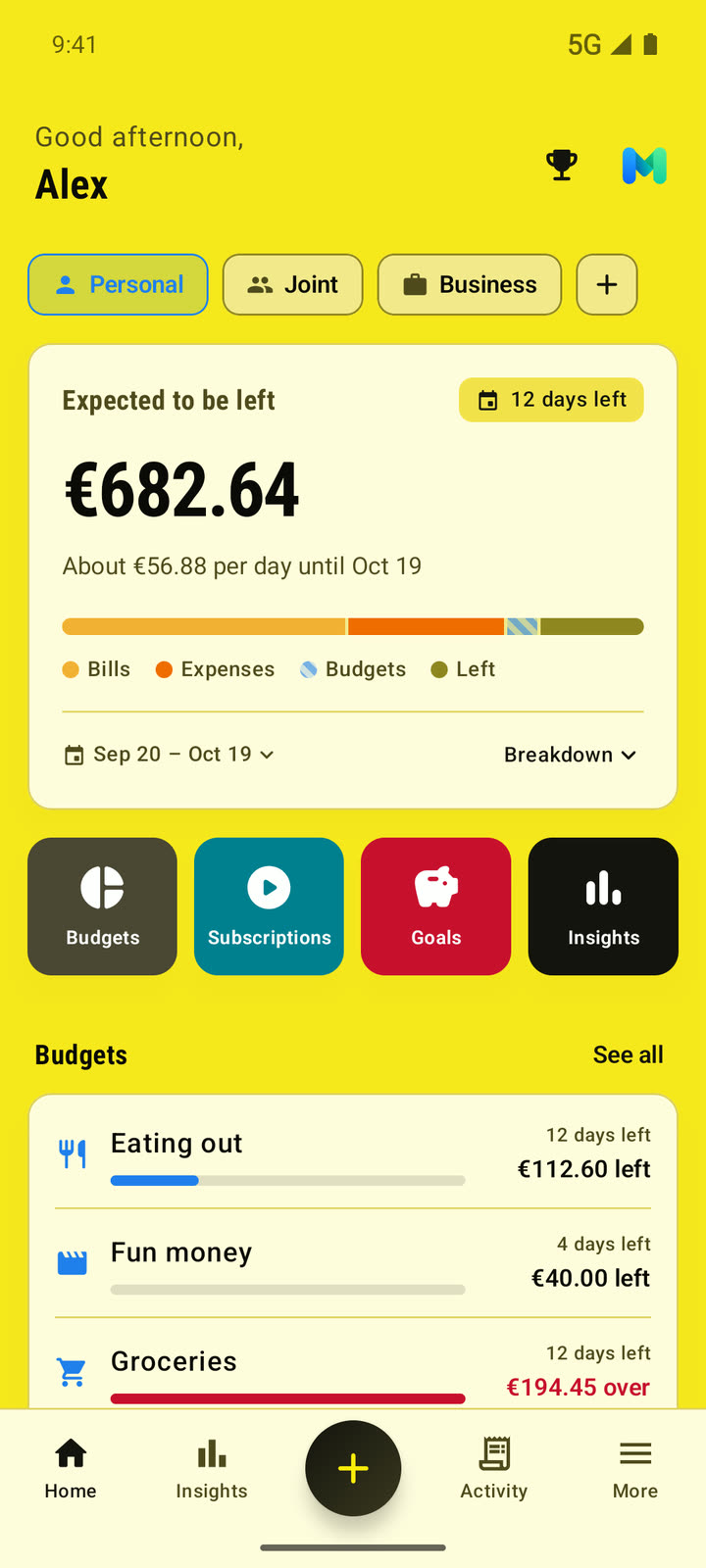
The home screen answers one question first: how much is left until payday?
- “Expected to be left” shows what remains after your bills, expenses and budgets.
- See how much that is per day, and how many days are left.
- Switch between Personal, Joint and Business, and open Budgets, Subscriptions, Goals or Insights in one tap.
02 · Track and understand
Your spending at a glance.
Add an expense in a few taps, then let Munty sort it out for you.
- Activity lists every entry by day, with money in, money out and the net result at the top.
- Filter on income, bills or expenses to find things fast.
- Insights shows your spending per category in one clear chart, including what’s still to come.
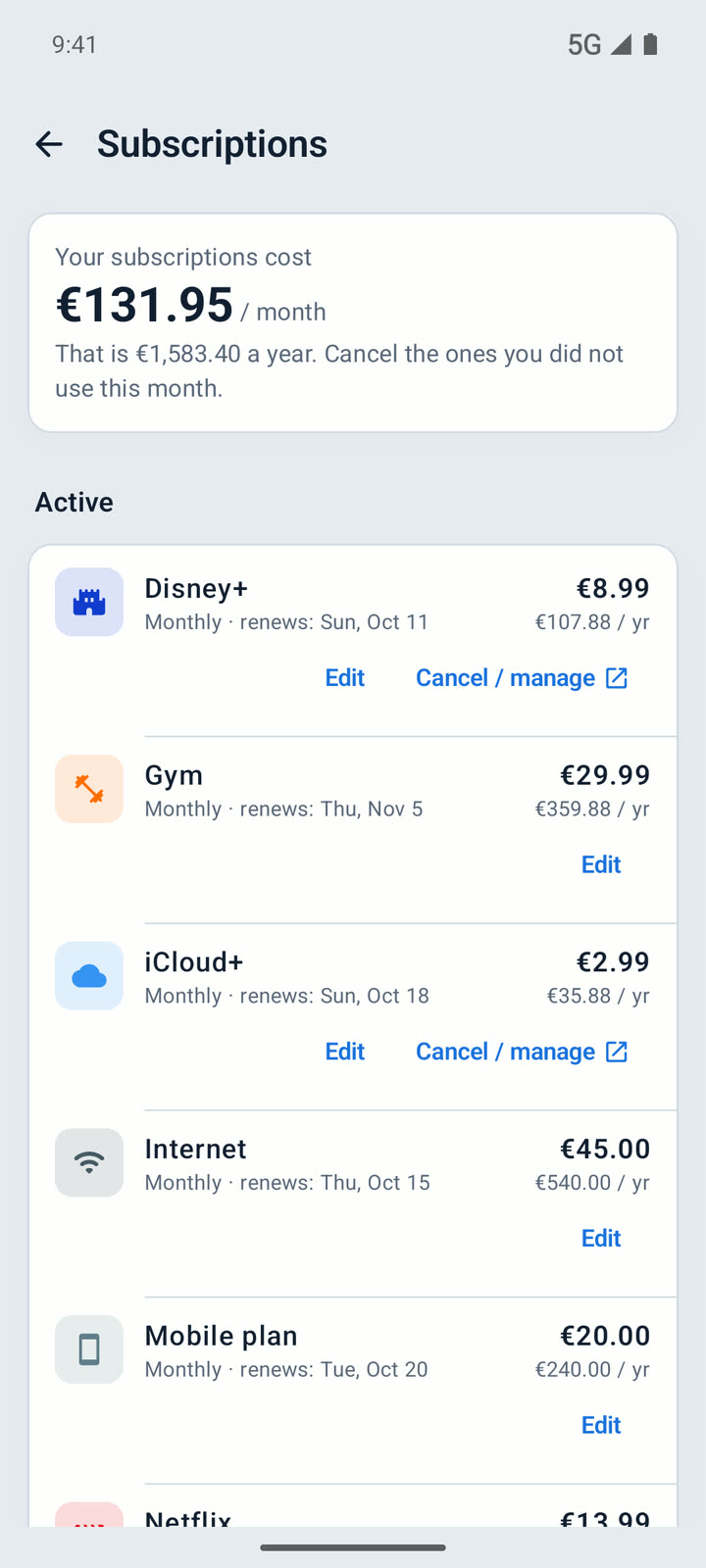
03 · Plan and personalize
Save for what matters, your way.
Set goals, watch them grow, and give the app a look that feels like yours.
- Savings goals show your progress and how much to save each month to make it.
- What’s left at the end of a period moves into the next one by itself, and you can put money into savings whenever you like.
- Pick light or dark, one of ten accent colours, or a special theme like Sakura or Neon.
Why we made Munty
Munty started as a small project to help friends who needed a simple way to organise their money. It turned out to help many more people, so we kept building. Munty is completely free: we don’t sell your data, there are no ads and we make no profit from it. Consider it a gift from us, to make everyday life with money a little easier.
— Revalian