
Why we made Munty
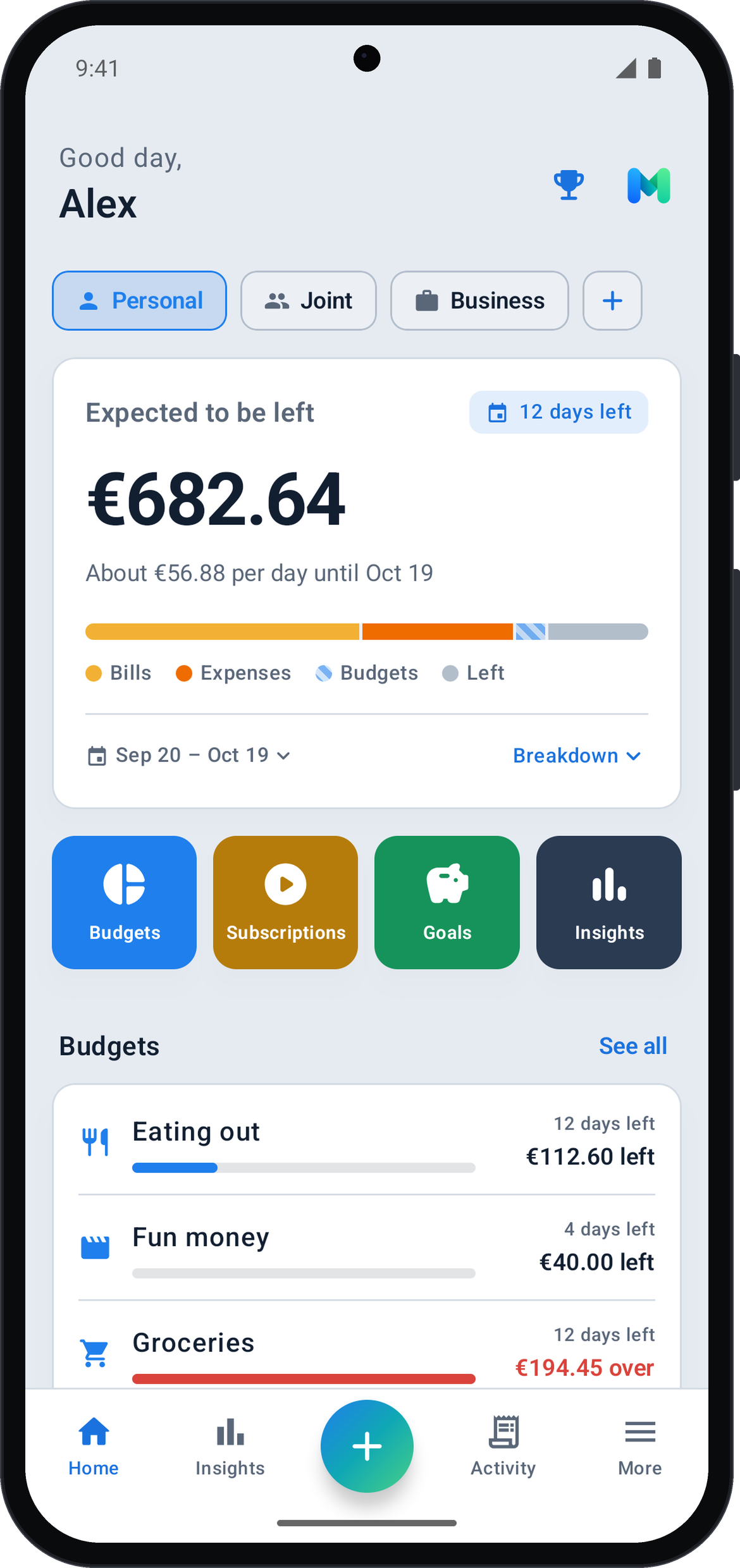
We wanted one calm place to see what we can safely spend until payday, without handing our bank details to anyone. So we built it ourselves. Munty is small, made with care, and it will stay that way.
— Reviant
Safe to spend
See what is left until payday, and how much that is per day.
Budgets and bills
Set budgets, track subscriptions and see where your money goes.
Savings goals
Save for an emergency fund or a holiday and watch it grow.
Personal, joint, business
Keep separate overviews for yourself, together, or your work.
Make it yours
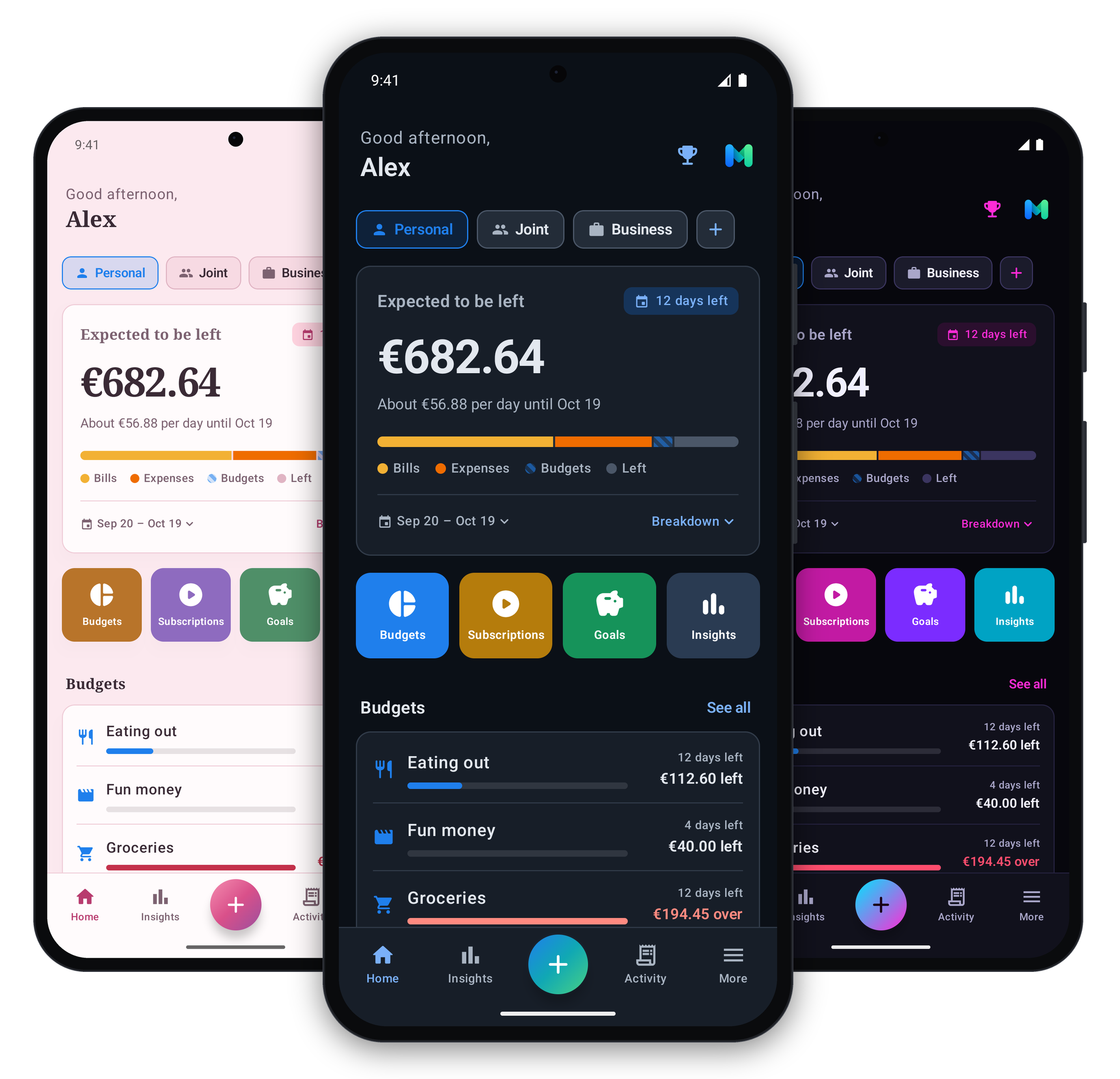
Light or dark, ten accent colours and special themes like Sakura, Neon or Executive. Calm and personal, or clean and professional.
A look inside
Frequently asked questions
Why doesn't Munty show advertisements?
Ads are everywhere already, and we find them distracting. Munty is about giving you a clear view of your money, and advertising doesn't fit with that.
What does the one-time purchase include?
Thank you for considering it, it means a lot to us. A single purchase unlocks more accounts (joint, business or a second personal one), more savings goals and extra themes. No subscription.
Do I need an account to use Munty?
No. There is no sign-up and no login. Open the app, choose your language and currency, and you're ready.
Does Munty connect to my bank?
No. Munty never asks for your bank login. You add income and expenses yourself, which keeps you fully in control and more aware of your spending.
Where is my financial data stored?
Only on your phone, in the app's private storage. Nothing is sent to us or anyone else. You stay in control: export and safekeep your data whenever you want. See our privacy policy for the details.
Can I export my data to Excel?
Yes, we made that easy. Many people still use Excel or have access to Google Sheets, so you can export your records and open them in either one.
Can I back up my data or move to a new phone?
Yes. Create a backup file in the app, save it wherever you like, and restore it on your new phone with 'I already have a backup'.
How does Munty help freelancers and small businesses?
When you're busy, your phone is usually close by. Register a sale in a few taps in your business account, and export everything to Excel later.
How are new features decided?
We update Munty based on what our users need. Missing something useful? Contact us or leave a review. If there is enough demand, we build it in.